The Columbia Business School uses an internal collaboration site to enable students [including the Executive MBA students who live and work in different cities in the US and Europe] and professors share documents among other things. 95% of the time we go there to get documents that the professors post. Class surveys and grades are also posted there.
Even though it is designed for the primary purpose of document sharing between students and professors, it has a very basic problem. There are several places for the professor to place the documents. There is the lectures folder, the session folder, schedule folder, the files folder, and the home page. Every professor places the files in a different place. Some attach it to every session. Some attach it to the home page. Some attach it to the files folder and so on. As the academic rep I get calls from my class mates asking questions about where a certain file is and I then ask the professor. It is a terrible waste of their time.
This seemingly simple thing has a very big impact on the way we do work and our productivity. I keep wondering if this is how majority of corporate America does collaboration.
When it comes to document sharing, all teams need to follow one simple rule. A place for everything and everything in place. All the designers of this collaboration site need to do is designate a place for lecture notes and remove the other folders.
I brought this up with the administration team and a few weeks later they removed all the extra folder locations where professors could post their documents. This simple change eliminated all complaints from students. It is surprising how big a difference this seemingly small change made. This is a good lesson for enterprise document management systems administrators and designers.
Saturday, October 08, 2005

Saturday, September 24, 2005
Protocol : For Communication + Note Exchange
 This is a sample protocol document that we used to recognized different types of communication. Even though it looks too detailed, the document faded into the background over time and the behaviour stayed with us.
This protocol helped us to differentiate between various types and communications. We differentiated between a note exchange, a discussion, a meeting, a presentation, a workshop and a conference. We even had mini versions of workshops called plug-in workshops to accomodate those informal impromptu communication sesions.
NOTE
What is a Note?
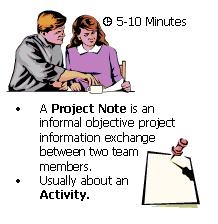
· An informal, objective project information-exchange between two team members.
· A note is not written if the other team member is physically present.
· This would consume not more than five minutes of the team members' time. It is the equivalent of a real-world short conversation between two people.
Project Procedures
How is a Note exchanged and between whom?
A NOTE is exchanged as a simple e-mail message or Chat.
It is exchanged between any two employees.
Team Directives
Properties of a Note
· The Note sent by email shall have a subject and shall follow this format if sent via email.
COMPANY Project Code + Unit Name + Task name
For Example: SA + Library + QA Implementation
Who shall you CC it to and who shall you not CC it to?
· The Note shall be exchanged between two people only. A copy [of an intra assignment note] could be marked to other team members for information purposes.
· A Project Note should not be marked to the people other than the one who it is sent to unless a direct response from them is solicited.
Inter-Assignment NOTE
Inter-Assignment NOTES are exchanged across assignments and usually between assignment leads. Any such Note falls under one of the following Category.
Types of NOTES
· Status Information · A Query · Response to Query
Friday, September 23, 2005
People: Team Identity
In the beginning of 2005 one of my managers took charge of a professional services team in 2 cities in India. We did that because we wanted to expand our team there and take advantage of the talent that was available in that team.
We decided to practice what we preach and hired local managers for both the locations. The integration was successful and the team is now working as a well oiled machine. One the managers in Hyderabad is JP. During a recent team meeting he mentioned that the team considers the association with the US team as a valuable thing. Our team has an Identity that plays an important role in our collaboration.
We have a single email group alias and information is shared frequently. Our meetings and training programs are conducted during hours that are convenient for most locations using the tools that I have talked about in this Journal. We always write the minutes of our meetings and share them using our collaboration site so that all of us can read, edit and update the information. Those team members who do not participate benefit from these detailed minutes.
We are very happy with the investment we have made in creating and maintaining this team identity. Our team members from the India locations have started working with clients directly. It is now considered normal for our India team members to take on consulting assignments with US clients.
I believe that team identities can play an important role in enabling collaboration between distributed teams. Despite being distributed across the US, India and Europe, our team identifies itself as a single entity. We have common values and traits and we go to a great extend to share that with new hires and junior team members. JP is the knowledge manager for the team and is in charge of managing the training of new team members no matter where they are hired. One of our senior consultants designs and runs the training.
There is a good article from Harvard Business Review on this if you are interested in reading more about this.
We decided to practice what we preach and hired local managers for both the locations. The integration was successful and the team is now working as a well oiled machine. One the managers in Hyderabad is JP. During a recent team meeting he mentioned that the team considers the association with the US team as a valuable thing. Our team has an Identity that plays an important role in our collaboration.
We have a single email group alias and information is shared frequently. Our meetings and training programs are conducted during hours that are convenient for most locations using the tools that I have talked about in this Journal. We always write the minutes of our meetings and share them using our collaboration site so that all of us can read, edit and update the information. Those team members who do not participate benefit from these detailed minutes.
We are very happy with the investment we have made in creating and maintaining this team identity. Our team members from the India locations have started working with clients directly. It is now considered normal for our India team members to take on consulting assignments with US clients.
I believe that team identities can play an important role in enabling collaboration between distributed teams. Despite being distributed across the US, India and Europe, our team identifies itself as a single entity. We have common values and traits and we go to a great extend to share that with new hires and junior team members. JP is the knowledge manager for the team and is in charge of managing the training of new team members no matter where they are hired. One of our senior consultants designs and runs the training.
There is a good article from Harvard Business Review on this if you are interested in reading more about this.
Wednesday, July 20, 2005
Defining Work: Keep Things Simple
In a distributed environment it is important to keep things simple. Product definitions and Services need to be as simple and short as possible. Same goes for procedures and guidelines. Attempts to over define will lead to people spending a lot of time on work that does not bring value. It will also lead to stupid behavior.
Saturday, April 09, 2005
Tools: International Conference Calling
While working with international teams, project managers in one country sometimes assume that team members in all countries will have the same level of communication infrastructure from their homes. That is normally not the case. For example if there is a conference call with a toll free [1-800] number in the US it won’t be toll free for an employee in Asia. That call will be charged at an international rate.
If the employee has to join the call from home, the employee may have to pay her phone bill and then get the expense reimbursed. This may discourage her from accepting such a meeting or even be part of a team that expects her to do so.
We face similar situations in our India offices and use a local conference calling service that all our team members use to join international conference calls from home. While this does not reduce the expense, it at least makes it convenient for the employee to join the call. It makes a big difference when a working parent can take than 7.30 p.m. call from home instead of staying in the office just because they don’t have toll free international calling facility at home.
This conference calling service lets every participant request for individual dial-in timings. For example, when I had to join a customer call from India at 5.00 a.m., I requested the service to dial me in at 4.50 a.m. The service we use is called Cyber Bazaar. It is now part of WebEx India.
Corporate Calling Cards are an expensive but useful option for international calling. Most big calling card companies [Such as AT&T] have toll free access numbers for most countries. Such cards enable you to join a conference [or make a call] from regular telephones even if such telephones do not have international dialing enabled.
If the employee has to join the call from home, the employee may have to pay her phone bill and then get the expense reimbursed. This may discourage her from accepting such a meeting or even be part of a team that expects her to do so.
We face similar situations in our India offices and use a local conference calling service that all our team members use to join international conference calls from home. While this does not reduce the expense, it at least makes it convenient for the employee to join the call. It makes a big difference when a working parent can take than 7.30 p.m. call from home instead of staying in the office just because they don’t have toll free international calling facility at home.
This conference calling service lets every participant request for individual dial-in timings. For example, when I had to join a customer call from India at 5.00 a.m., I requested the service to dial me in at 4.50 a.m. The service we use is called Cyber Bazaar. It is now part of WebEx India.
Corporate Calling Cards are an expensive but useful option for international calling. Most big calling card companies [Such as AT&T] have toll free access numbers for most countries. Such cards enable you to join a conference [or make a call] from regular telephones even if such telephones do not have international dialing enabled.
Subscribe to:
Posts (Atom)
